Transform Your Designs with a Brushstroke Canva Frame
Every creative project needs a foundation. For designers, marketers, and content creators, that foundation is often a background. It sets the mood, directs the eye, and supports your message. A flat color works, but it can feel sterile. A complex photo might be too busy. You need something with character, texture, and a human touch—without the hassle of creating it from scratch every single time.
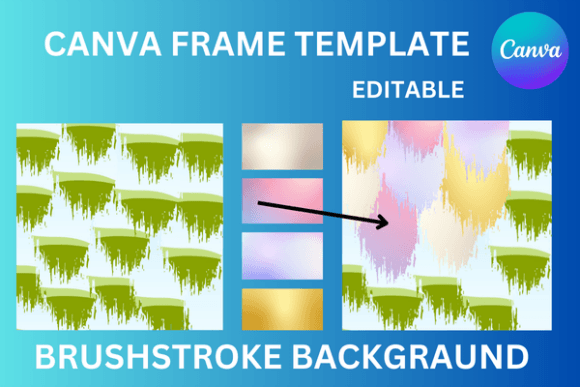
This is where the Brushstroke Background Canva Frame enters the picture. It’s not just another static digital paper. It’s an editable Canva template that gives you a powerful, artistic starting point. The frame features a dynamic, hand-painted brushstroke effect. Think of the organic, slightly imperfect texture of real paint on canvas. The edges are soft and flowing, creating a natural, artisanal feel. It has personality—it’s bold yet approachable, creative yet structured. This style instantly adds warmth and authenticity to any design, moving it away from the overly polished, generic look that can sometimes fall flat.
Why a Brushstroke Frame Works for Your Brand
The visual style of this frame is its greatest strength. In a digital world saturated with clean lines and perfect gradients, the raw, textured quality of brushstrokes stands out. It communicates craftsmanship and originality. This isn't a mass-produced look; it feels curated and intentional. For a brand, this translates directly to perception. Using a Brushstroke Background Canva Frame can help establish a brand identity that feels more human, creative, and relatable. It’s perfect for brands that want to convey artistry, passion, or a handmade ethos—whether you’re a boutique baker, a freelance illustrator, a wellness coach, or an indie publisher.
Think about where you see this working hardest. In social media graphics, the textured frame makes your quotes, announcements, and promotions pop in a crowded feed. It stops the scroll. For packaging design, it can give a small-batch product label or a digital download cover an immediate sense of quality and artistry. As part of your web design elements, it can be used behind hero text or as a subtle section divider, adding depth without distracting from your content. The frame’s 5000x5000 pixel size is a practical advantage. You can scale it down for a crisp Instagram post or scale it up for a large print banner without losing quality, ensuring your brand identity remains consistent across all touchpoints.
Practical Applications Across Projects
The true value of a design asset like this is its versatility. Let’s break down how you can practically apply the Brushstroke Background Canva Frame.
For logo design and brand identity systems, the frame can serve as a supporting texture. Imagine your logo or brand name placed within the brushstroke shape. It immediately gives the mark a unique, ownable texture that competitors using standard shapes won’t have. This is a smart move for creating a cohesive visual hierarchy in your brand materials. The frame draws the eye, and you place your key message right in its heart.
In editorial design and publishing, this frame is a game-changer. Use it as a background for chapter title pages in an ebook, a featured quote in a blog post, or the cover of a digital magazine. The texture adds a layer of sophistication and visual interest that plain backgrounds lack, enhancing readability by providing a clear, contained area for text. Pair it with a clean, modern sans serif font for body copy to create a beautiful contrast between the organic frame and the structured text.
For entrepreneurs and marketers creating digital products or lead magnets, this frame can elevate your perceived value. A checklist, worksheet, or mini-guide presented within this artistic frame feels more premium and worth downloading. It’s a subtle psychological cue that boosts audience engagement. The same principle applies to print design projects like event flyers, postcards, or business cards. The brushstroke texture ensures your physical collateral has a tactile, memorable quality.
Integrating the Frame into Your Workflow
Getting started is straightforward because it’s an editable Canva template. You don’t need advanced design software. After purchasing, you receive a PDF with a direct link to the Canva template. You click, it opens in your Canva account, and you can immediately begin customizing.
The template uses a transparent layer, which is crucial. This means the brushstroke shape is on its own layer, free from any pre-set background color or pattern. You have total creative control. You can change the fill color of the brushstroke to match your brand palette, or you can leave it transparent and place your own background color, photo, or digital paper behind it. This flexibility allows the single frame to generate endless variations.
A key piece of advice: always consider your final medium. The frame’s texture is ideal for vinyl sublimation and digital displays, but for very small text or detailed font pairing, ensure your chosen typeface remains legible over the textured area. Test it. Place your heading and body text over the frame and zoom out to the size it will be viewed at. The frame should enhance your message, not compete with it. This is where choosing the right display font or handwritten font for headlines—something with enough weight to stand up to the texture—becomes important.
Ultimately, the Brushstroke Background Canva Frame is more than a decorative element. It’s a strategic design asset. It solves the problem of creating compelling, textured backgrounds efficiently. It empowers you to produce professional, consistent, and visually engaging content across your entire creative workflow, from digital marketing to physical products. It’s a tool that respects your time while significantly raising the quality of your visual output.