Designing Custom Letter Art with Canva Frames
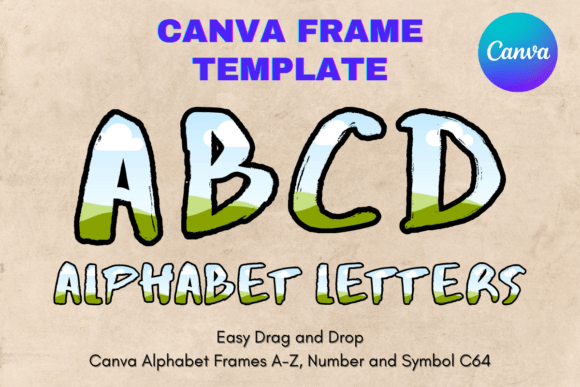
Creating professional letter art from scratch often requires advanced software and a steep learning curve. The Canva Letters Frame Alphabet Template_64 changes this dynamic entirely. This digital asset provides a complete set of alphabet frames designed specifically for Canva’s drag-and-drop interface. It allows anyone—from seasoned designers to hobbyists—to produce polished, custom letter graphics without starting from a blank canvas.
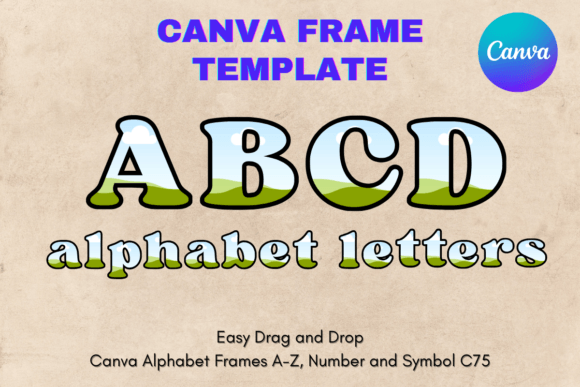
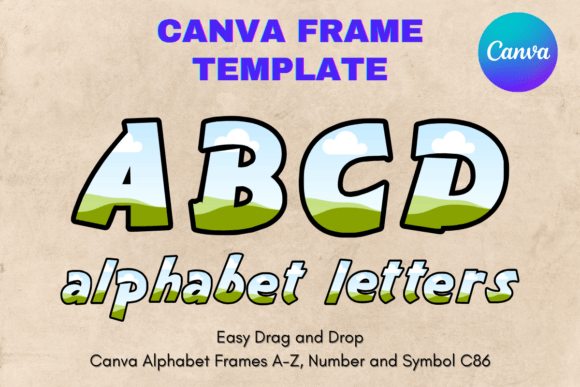
Think of these frames not as a traditional font, but as a sophisticated design asset. Each letter of the alphabet is a pre-built container. You simply drag your chosen image, pattern, or texture into the frame, and it automatically conforms to the letter’s shape. The result is a seamless, professional look. The template is delivered as a single PDF containing a direct link to your editable Canva template. Once opened in Canva, you have full control over every element. The frames are built on a transparent layer, making them exceptionally versatile for various applications, including vinyl sublimation and print projects.
Where This Template Shines: Practical Applications
The true value of the Canva Letters Frame Alphabet Template_64 lies in its adaptability. It’s a powerful tool for creating brand identity elements, social media graphics, and personalized products. For small business owners, it’s perfect for crafting unique monograms for packaging, thank-you cards, or digital headers. Content creators and bloggers can use it to design standout featured images or custom typography for quotes that stop the scroll.
Imagine designing a wedding invitation suite. You could use these frames to create elegant initials filled with a watercolor floral pattern, ensuring visual consistency from the save-the-date to the thank-you notes. For a marketing campaign, a brand could fill letters with product photos or team headshots to create dynamic hero images. The applications extend to:
- Editorial Design: Create eye-catching chapter headings or pull quotes for magazines and digital publications.
- Packaging Design: Develop distinctive product labels or decorative elements that reinforce brand personality.
- Web Design: Generate unique hero graphics or section dividers that align perfectly with a site’s visual theme.
- Personal Projects: Design custom wall art, monogrammed gifts, or personalized stationery with a professional finish.
The key is to think of the letters as a creative font with built-in visual interest. The personality of the final design is entirely in your hands, determined by the colors, images, and textures you choose to fill the frames.
Integrating the Template into Your Workflow
Adopting any new design asset requires a bit of strategy. To get the most out of the Canva Letters Frame Alphabet Template_64, start by considering your project’s goal. Is it for high-impact logo design or for a subtle background pattern? The frames are highly scalable—they are designed at 8.5x11 inches but can be sized up or down significantly without loss of quality, thanks to their vector-like nature in Canva.
A critical step is testing font pairing if you’re combining your frame-based letters with other text. The filled letters will act as a display font—a headline grabber. Pair them with a clean, readable sans serif font for body copy or a complementary serif font for a more traditional feel. Avoid pairing them with another highly decorative script font or handwritten font, as this can create visual clutter and harm readability.
Always preview your design at the intended final size. While the template is flexible, the visual complexity of your fill pattern can affect clarity at smaller scales. A busy floral pattern might be stunning in a large header but could become muddy in a small social media icon. The transparent background is a major advantage, allowing your frame-based letters to sit over any color or image without a boxed-in look. This is particularly useful for sublimation projects on colored fabrics or mugs.
Remember, this is a premium font alternative—a versatile system for creating custom typography. Its strength is in its ability to produce unique, consistent visual language across a brand identity or a multi-piece project. By using it thoughtfully, you can elevate the professionalism and recognition of your work, making your designs more engaging and memorable for your audience.